![[slide:title]](/static/upload/other/20260512/1778551853592214.webp)
![[slide:title]](/static/upload/other/20260512/1778551954982306.webp)
Time:2026-03-19 Form:本站
What Is a Scan Body in Dental Implants? (Complete Professional Guide)
In modern implant dentistry, digital workflows have largely replaced traditional impression techniques. At the center of this transformation is the scan body—a small but highly engineered component that directly determines how accurately an implant position is transferred into the digital environment.
This guide goes beyond basic definitions. It explains how scan bodies function in real workflows, what affects their accuracy, how to choose them for different implant systems, and what common mistakes to avoid—especially from the perspective of clinics, labs, and distributors.
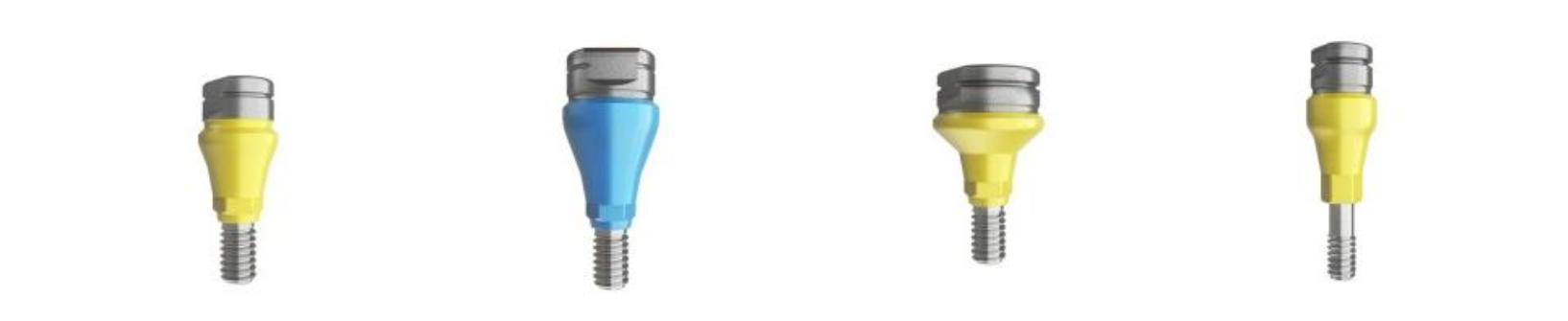
A scan body is a temporary implant component used during digital impressions to transfer the precise 3D position and orientation of an implant into CAD/CAM software.
It works through three core mechanisms:
l Geometric recognition (captured by intraoral or lab scanners)
l Library matching (CAD software aligns scan data with a predefined model)
l Digital reconstruction (implant position is recreated virtually)
In essence, the scan body acts as a reference marker that links the physical implant to its digital counterpart.
A scan body is not just a simple post—it is a precision-designed geometry optimized for optical scanning.
1. Scan Region (Top Geometry)
l Complex surfaces for scanner recognition
l Often asymmetrical to prevent misalignment
l Designed for high data capture accuracy
2. Connection Interface
l Matches implant platform
l Determines compatibility and stability
3. Fixation Screw
l Secures the scan body during scanning
l Prevents micro-movement
4. Anti-Rotation Features
l Ensures consistent positioning
l Critical for multi-unit restorations
The quality of this geometry directly affects scan accuracy and final prosthetic fit.
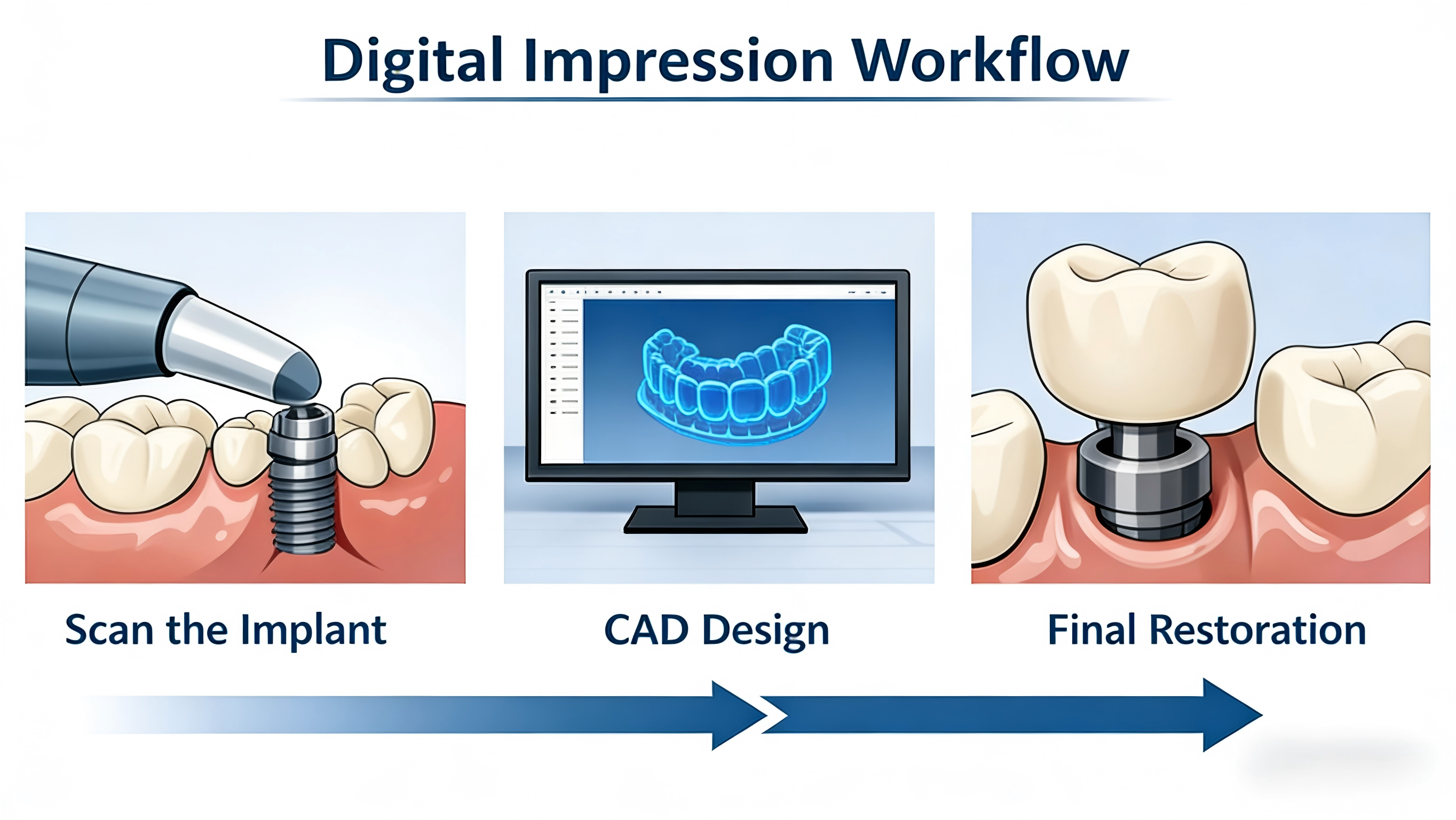
Standard workflow:
1. Implant placement
2. Scan body attachment
3. Intraoral or lab scanning
4. STL data generation
5. CAD software matches scan body library
6. Implant position is reconstructed
7. Restoration is designed and manufactured
Important principle:
The scanner captures the scan body—not the implant itself. Accuracy depends on how well the scan body is recognized and aligned in software.
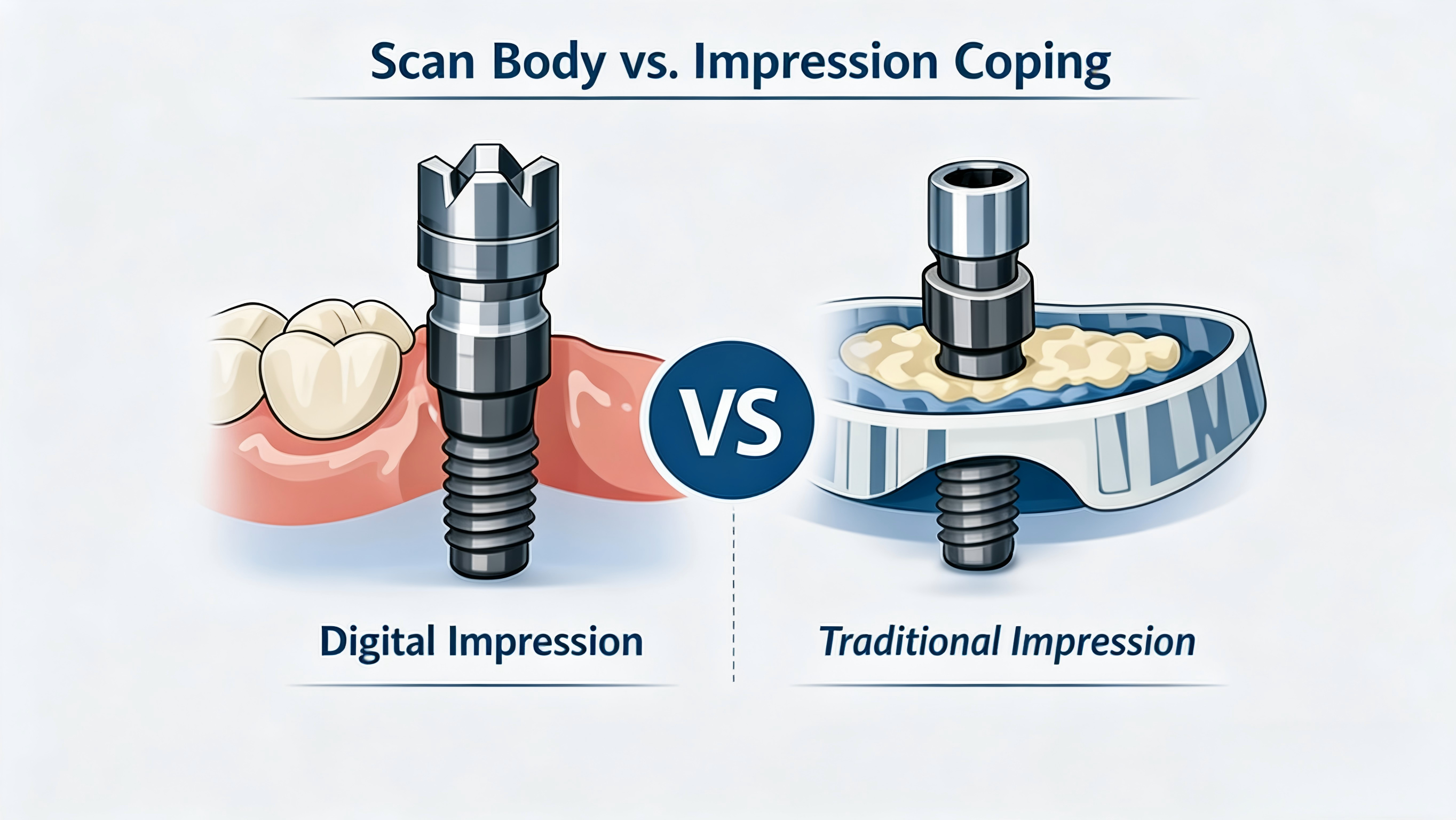
Feature | Scan Body | Impression Coping |
Workflow | Digital | Traditional |
Accuracy dependency | Geometry + software | Material + technique |
Patient comfort | High | Moderate |
Efficiency | Fast | Slower |
Error source | Alignment & scanning | Material distortion |
Scan bodies reduce manual variability but introduce digital dependency, making design and library accuracy essential.
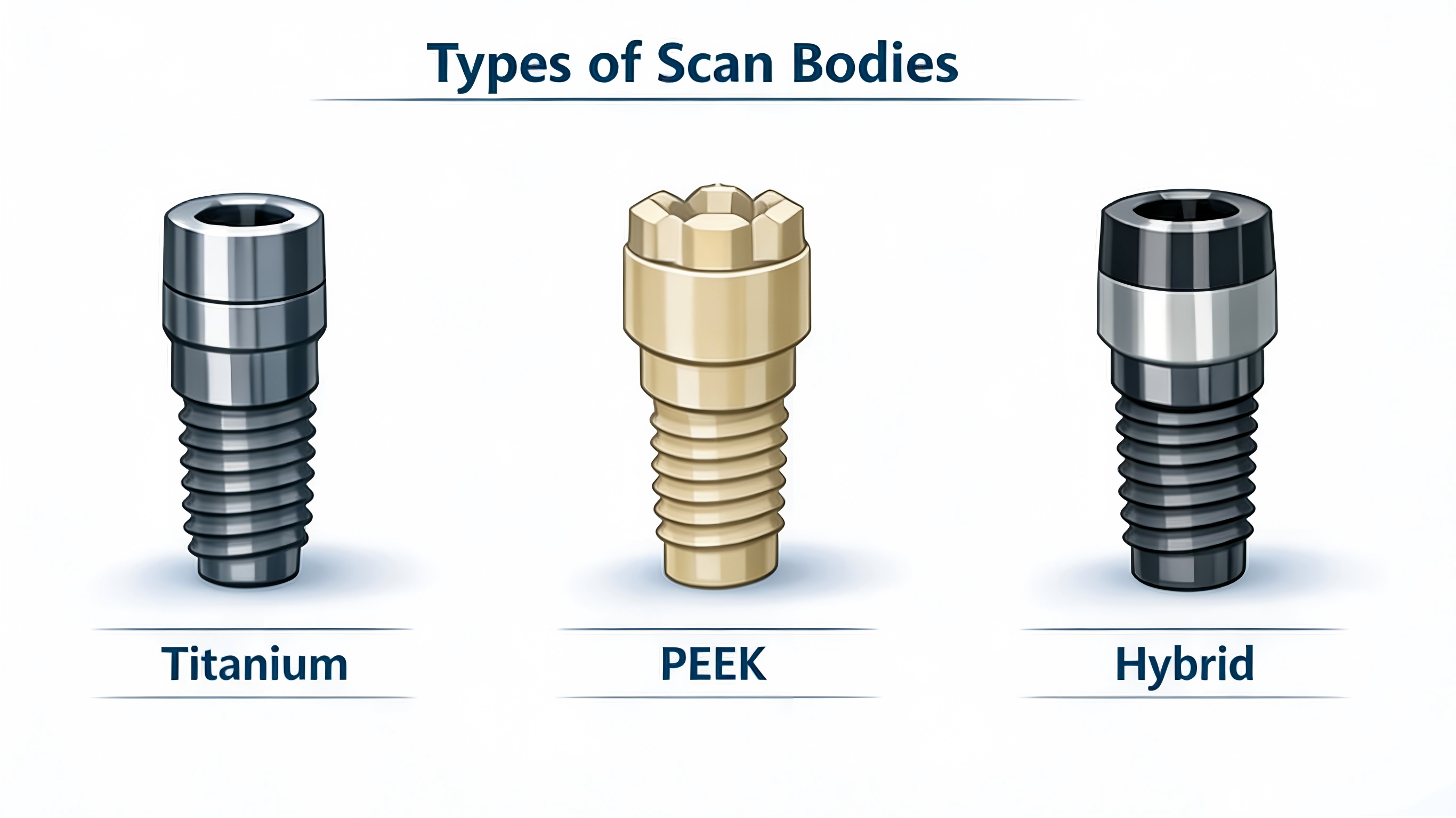
PEEK Scan Bodies
l Non-reflective (ideal for intraoral scanning)
l Lightweight and easy to handle
l Subject to wear over time
Titanium Scan Bodies
l Highly durable
l Suitable for lab scanning
l May require surface treatment to reduce reflection
l Intraoral scan bodies
l Lab scan bodies
l Multi-unit scan bodies
l Custom scan bodies
Scan bodies are system-specific and depend on:
l Implant connection type
l Platform size
l Digital library availability
Accuracy is not determined by a single factor—it is the result of clinical handling, scan body design, and digital processing.
Key influencing factors:
l Seating accuracy
l Scanner resolution and stitching
l Geometry design
l Soft tissue conditions
l CAD library precision
Even small deviations (50–100 μm) can affect prosthetic fit, especially in multi-unit cases.
In practice, most inaccuracies are not caused by a single mistake, but by multiple small deviations accumulating across the workflow.
One of the most common and critical issues is improper seating.
Why it happens:
l Blood or soft tissue interfering with the connection
l Debris inside the implant interface
l Limited visibility in posterior regions
Clinical impact:
l Vertical misfit of the prosthesis
l Occlusal discrepancies
l Increased chairside adjustment time
Best practice:
l Always confirm both tactile feedback and visual seating
l Clean the implant interface before placement
l Use radiographic verification in critical cases
Even minimal movement can distort scan data.
Why it happens:
l Loose fixation screw
l Long scanning time
l Patient movement during intraoral scanning
Impact:
l Misalignment in digital models
l Inaccurate implant axis
Best practice:
l Apply proper torque according to manufacturer guidelines
l Minimize scanning time
l Verify stability before scanning
Scan bodies rely on geometry—not just position.
Why it happens:
l Worn scan body surfaces
l Poor or overly symmetrical design
l Low scanner resolution
Impact:
l Incorrect library matching
l Hidden alignment errors
Best practice:
l Use scan bodies with distinct, asymmetric geometry
l Replace worn PEEK components
l Avoid mixing incompatible systems
A perfectly captured scan can still fail if the library is incorrect.
Why it happens:
l Outdated CAD libraries
l Incorrect implant system selection
Impact:
l Prosthetic misfit
l Remakes despite “accurate” scans
Best practice:
l Keep software libraries updated
l Standardize system identification
Why it matters:
l Subgingival positioning reduces scan visibility
l Fluids affect optical scanning
Best practice:
l Use appropriately sized scan bodies
l Manage soft tissue before scanning
l Optimize scan path strategy
Key issue:
Scanner stitching errors accumulate across multiple implants
Result:
Passive fit failure in long-span restorations
Best practice:
Use scan bodies designed for full-arch workflows
Validate digital models before production
In many cases, clinics and labs reduce these risks by standardizing components from reliable manufacturers such as RE-TECH, where geometry consistency and library alignment are more controlled across batches.
Selecting a scan body is a decision that affects accuracy, workflow efficiency, and procurement stability.
l Scan bodies must match:
l Implant connection
l Platform diameter
l Clinical application
l Even minor mismatches can lead to major errors.
l PEEK → intraoral scanning (better optical performance)
l Titanium → lab scanning (higher durability)
High-quality scan bodies feature:
l Asymmetrical geometry
l Clear scan features
l Adequate height for visibility
Poor geometry increases alignment errors—even if compatibility is correct.
Scenario | Recommended Approach |
Single crown | Standard PEEK scan body |
Bridge / multi-unit | Anti-rotation design |
Full-arch | High-visibility geometry |
Ensure compatibility with:
l Exocad
l 3Shape
Library accuracy is as important as physical accuracy.
For distributors and labs:
l Batch consistency
l Stable lead times
l OEM capability
l are often more important than unit price.
Factor | Priority |
Compatibility | Highest |
Geometry | High |
Library support | High |
Material | Medium |
Supply stability | Critical |
In real workflows, many organizations move toward standardizing a limited number of scan body suppliers.
This reduces variability and improves predictability.
Manufacturers such as Ruitech are often evaluated in this context—not only for product specifications, but for their ability to provide:
l Consistent geometry across batches
l Broad implant system coverage
l Stable library integration
To accurately transfer implant position into digital software.
PEEK scan bodies have limited reuse cycles due to wear.
Accuracy depends on geometry, fit, and workflow—not just material.
No, they are system-specific.
Improper seating, movement, poor geometry, or library mismatch.
Scan bodies are no longer auxiliary components—they are precision-critical elements in digital implant workflows.
Understanding how they function, where errors occur, and how to select them properly allows clinics and labs to achieve more predictable outcomes.
At the same time, for distributors and OEM buyers, long-term success depends not only on specifications, but on consistency, compatibility, and integration within the digital ecosystem—factors that increasingly shape supplier selection in today’s market.